


Microsoft Producer for PowerPoint 2010

Microsoft Producer for PowerPoint 2010
License:
Free
Language:
English
Developer:
Platform:
Web apps
See detailed info

Softonic review

Nick Mead

“Produce professional PowerPoint presentations”

by Nick Mead about Microsoft Producer for PowerPoint 2010

Although Microsoft have got many things wrong over the years, PowerPoint remains a popular presentation tool and Microsoft Producer for PowerPoint 2010 is a web app that allows you to harness the power of PowerPoint for your presentations.

Microsoft Producer for PowerPoint (formerly Microsoft Producer for PowerPoint 2003) used to be a downloadable application but nowadays you can only use it online. Microsoft Producer for PowerPoint 2010 is simply designed to allow you to access your PowerPoint files on the move from wherever you are in the world as well as create basic PowerPoint presentations for free.

PowerPoint now works via Microsoft's SkyDrive and so to access your PowerPoint presentations, you'll have to upload them first which requires signing-up for a Windows Live ID. After that, using Microsoft Producer for PowerPoint 2010, you can share documents with others, collaborate on them and create basic PowerPoint presentations with ease.

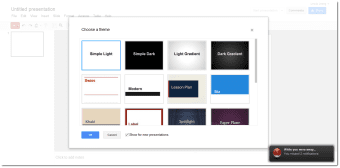
There are several templates to choose from and the interface is based on the desktop version with the Office ribbon to guide you through the various functions on offer. There's also a button that takes you instantly into the desktop version if you have it installed.

Microsoft Producer for PowerPoint 2010 is an excellent albeit slightly limited tool to create PowerPoint presentations online for free.

Pros
  • Creates PowerPoint presentations for free
  • Easy to switch between online and desktop version
  • Easy to use
  • Lots of templates to choose from
Cons
  • Limited compared to desktop version
  • Requires a Windows Live ID
Visit website Microsoft Producer for PowerPoint 2010

Developer's description

Microsoft Producer for Microsoft Office PowerPoint 2003, the current version of this popular add-on for Microsoft PowerPoint, can help you easily capture, synchronize, and publish audio, video, slides, and images. It's the ideal tool for creating engaging presentations, training, and business communications.

Whether you're a content professional, media professional, or information worker, with Producer 2003 you can create dynamic presentations and training cost-effectively. At the same time, you can increase comprehension and the number of people you reach. Producer 2003 addresses a wide variety of communications scenarios by making it easy to work with audio and video. Use it to:

Develop training content

Content providers, media departments, or training groups can create on-demand content that engages users and complies with eLearning standards developed by Instructional Management Systems (IMS) Global Learning Consortium, Inc. and the U.S. Department of Defense Sharable Content Object Reference Model (SCORM).

Generate high-quality online presentations

Companies of all sizes can create rich-media presentations that can help them meet important business goals, such as introducing a new product.

Create informal business communications

Business professionals can use Producer 2003 to create informal, yet effective presentations, such as an audio description of quarterly results.

Produce on-demand executive broadcasts

Capture the audio and video of a live broadcast and then use Producer 2003 to integrate slides and other related elements. Then, post your presentation for on-demand viewing.

Archive departmental meetings

Workgroups can use Producer 2003 to capture meetings, quickly add entries to the table of contents, and then post the indexed content for others to access from their computers.

Index archived videotapes

Take existing video training content, synchronize it with PowerPoint slides, and then publish your updated content to the corporate network to reach users in a cost-effective and engaging way.

Microsoft Producer for PowerPoint 2010 (1) User reviews

  • Good
  • 8/10
Your avatar
Review
  1. Maximum: 75 characters

  2. See example

Pros and Cons
Rate
  1. What rating would you give Microsoft Producer for PowerPoint 2010?

    You need to fill in all fields

    • Usability:

      Not rated
    • Uptime:

      Not rated
    • Sign-up process:

      Not rated
    • Functionality:

      Not rated
    • Appearance:

      Not rated
    • Overall rating:

      Not rated
  2. Don't worry, we won't make your email address public.

You're not allowed to share serial numbers, cracks, etc. or link to pages that contain them. If you do, your user account will be deleted, your IP address logged and legal action will be taken.

Get started - just ask a question!

Write a title for your question.

Alternativesto Microsoft Producer for PowerPoint 2010

  • In English:
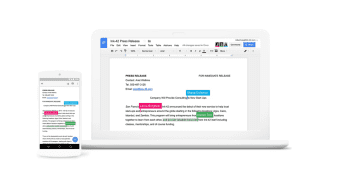
    Google Docs
    Google Docs

    Google's Online office suite

    Softonic rating:
    • 9/10
    User rating:
    • 0/10
  • Better rating:
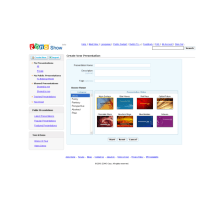
    Zoho Show
    Zoho Show

    Making presentations easy

    Softonic rating:
    • 9/10
    User rating:
    • 0/10
Compare with Microsoft Producer for PowerPoint 2010

Screenshots from Microsoft Producer for PowerPoint 2010

Visit rank: Office suites

1 of 5

Softonic rating:
  • Very good
  • 8/10
User rating: (47 ratings)
  • Good
  • 8/10
Your rating:
Your rating
  • 0

Review and rate this program

Top Office suites

  • United States
  • Global

  1. Microsoft Producer...

    Produce professional PowerPoint presentations

  2. Windows Live Office
  3. Google Docs
  4. Zoho Show